
Trusted Locations need to be configured in Access in order for Access to read and write to each folders used by Enviro Data.
While the example below shows the default location, if you have other folders including those on a VM that Enviro Data needs to access. these folders must also be Trusted.
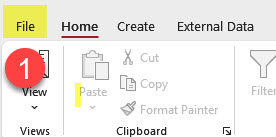
1. In the top left of the Access menu, click File.
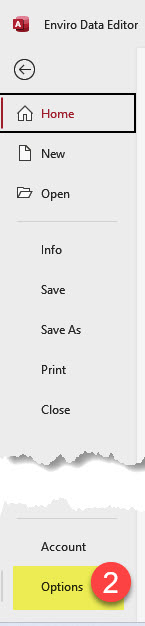
2. Click Options.
3. In the Trust Center form,click Trusted Location,
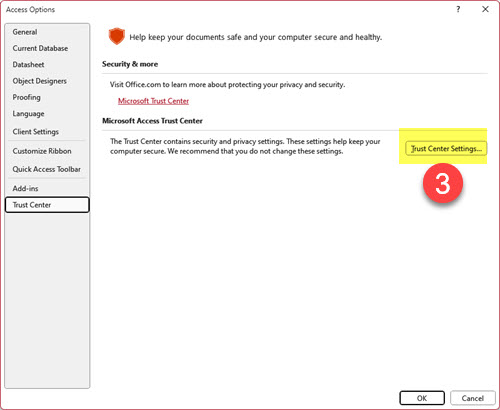
4. In the Trust Center form, click Trust Center Settings,
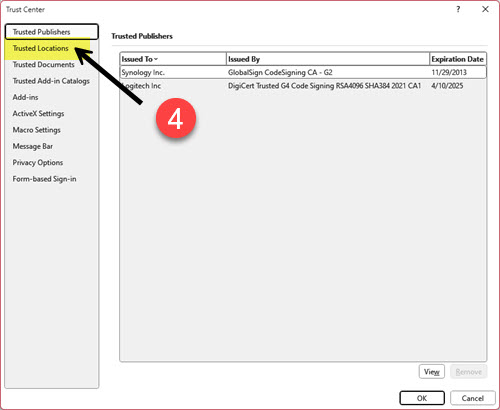
5. In the Trust Center form, click Trusted Locations on the top left.
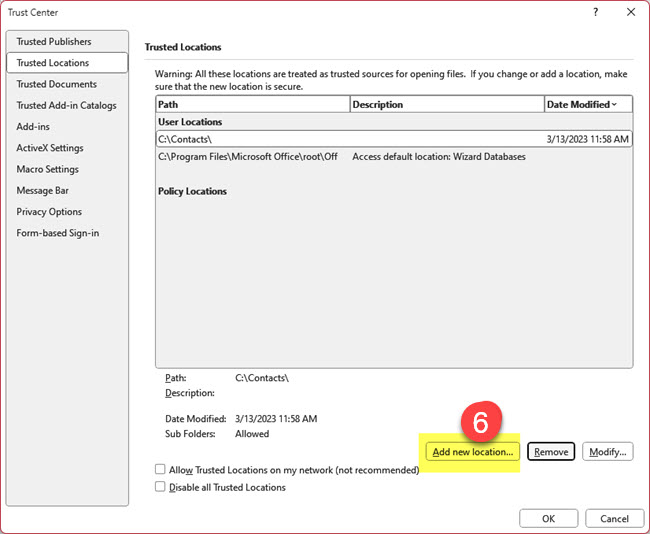
6. In the Microsoft Office Trusted Location form, click 5. Browse, 6. locate and select the folder, 7. check the box for Subfoldersof this trusted location are also trusted,, and finally, 8. click OK.
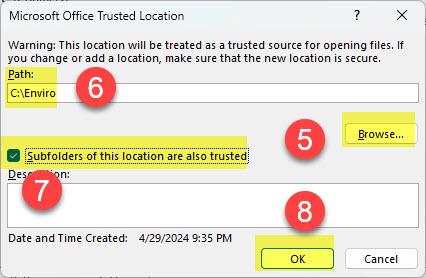
This will take you back to the Trust Center form to click OK.
Back in the Access Options form click OK again.