
The Manage Reports form, in the Editor only, provides a way to turn on and off reports in Enviro Data. It also allows you to edit report comments, entering starting page numbers, adding logos, and assigning reports to a Report Group. To get to this form, in the Editor, click on Manage Reports on the Maintain Database form.
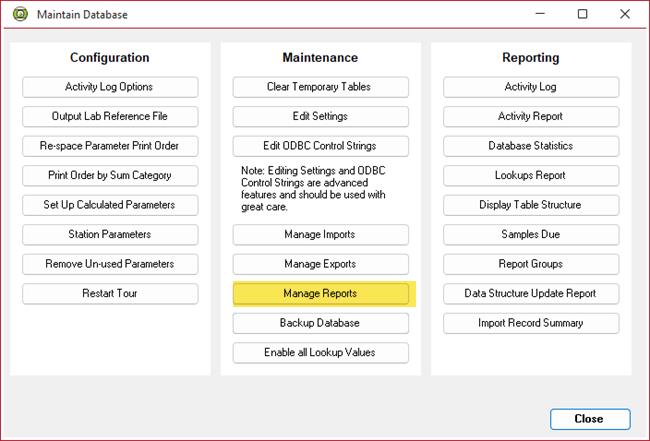
This form is only recommended for advance users because it can turn off a report so that it will not display in any list for some or all users and/or cause it to not display a report as intended.
There are two tabs on the Manage Reports form; Report Info and Preview.
On the Report Info tab (below) are a number of options many of which would never be changes. However, the Status is where you can turn on or off individual reports.
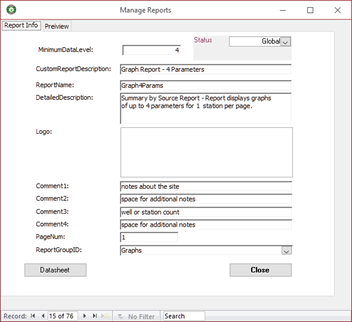
Status - This dropdown on the upper right permits administrators to control the availability of the reports to groups of users. Selecting “Global” makes the report available to all users. If you select “Not Available,” the report will not be displayed in the list of available reports in the Viewer’s Select Report Option form.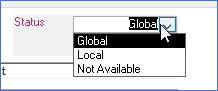
Datasheet – As in other Enviro Data forms, this can be used to view the reports table and make changes directly to the table.
The Edit Info tab (below) displays a preview of the output of the report selected. Typically, these graphics should not be changed without guidance from Geotech support.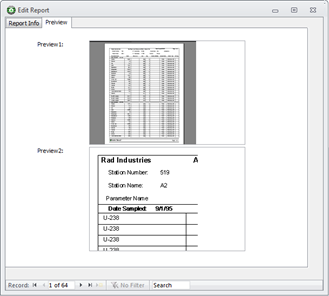
For more information on the Manage Reports form please see the User Documentation.